
SPlayer is a media player for Windows, popular among Chinese users and newly brought to light among international users. SPlayer is very sleek and very minimally designed and is capable of handling multiple formats of both audio and video files.
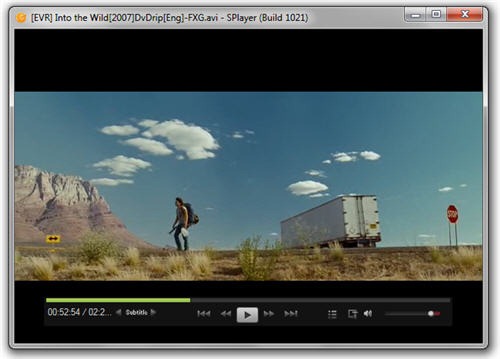
Like any modern media player, SPlayer doesn’t rely on external codecs to play media files. It’s built in codes can play almost any video and media files you throw at it. SPlayer has all the usual features and trinkets you will find in a media player like aspect control, brightness/contrast control, playlists, equalizer, screen capture etc and home theatre mode. It also has some advanced video features like shader control including various video effects like Sharpen, De-noise, HD Color Correction, Image smoothing etc.
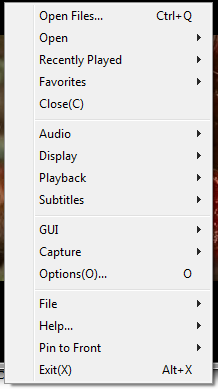
One of the unique features of SPlayer is automatic subtitle down. Whenever you load a media file into the player, it will connect to the Internet to search for available subtitles. If a subtitle is found, it will be downloaded and automatically turned on. SPlayer managed to find subtitles for some of the movies I played and couldn’t find for some others.
SPlayer is a good choice if you are looking for something new and different.
I have tried all the players out there that I could download and I have
ReplyDeleteto say this is one of the best little players made today. Give it a try
and you be the judge.
All I can say about this is Great
Thanks
Kevin
From: www.downloadfreewindowssoftware.com
Try It You'll Like It.
Thanks for information. Can I know to where it saves downloaded subtitle files? Thanks.
ReplyDeleteC:\Users\\AppData\Roaming\SPlayer\SVPSub, this is the path on Windows 7, hope this helps
ReplyDeleteThanks Man@notpresleybutelvis, for the location
ReplyDeleteCan I know to where it saves downloaded subtitle files? in windows 8
ReplyDelete